Relationships with a history.
Contacts and companies, leads and stages, notes and recent activity. Give every person a record that keeps the next conversation informed.

Sepia CRM / ONE CONNECTED WORKSPACE
Follow the person from first inquiry to customer. Keep the inbox, appointments, agreements, payments and next steps connected, with redesigned pages that put the work in reach.
Start freeTHE POWER OF BOTH
You can see the work and shape it yourself. You can also ask for help moving it forward. One workspace gives you the freedom to do both.
CALLING, BUILT INTO THE CLIENT STORY
Call, text and email from the dialer. Bring the client history into reach, work with call scripts, and turn recorded conversations into notes your team can use.
Place and receive calls, find a contact and review recent activity. SMS and email have their own views in the same dialer.
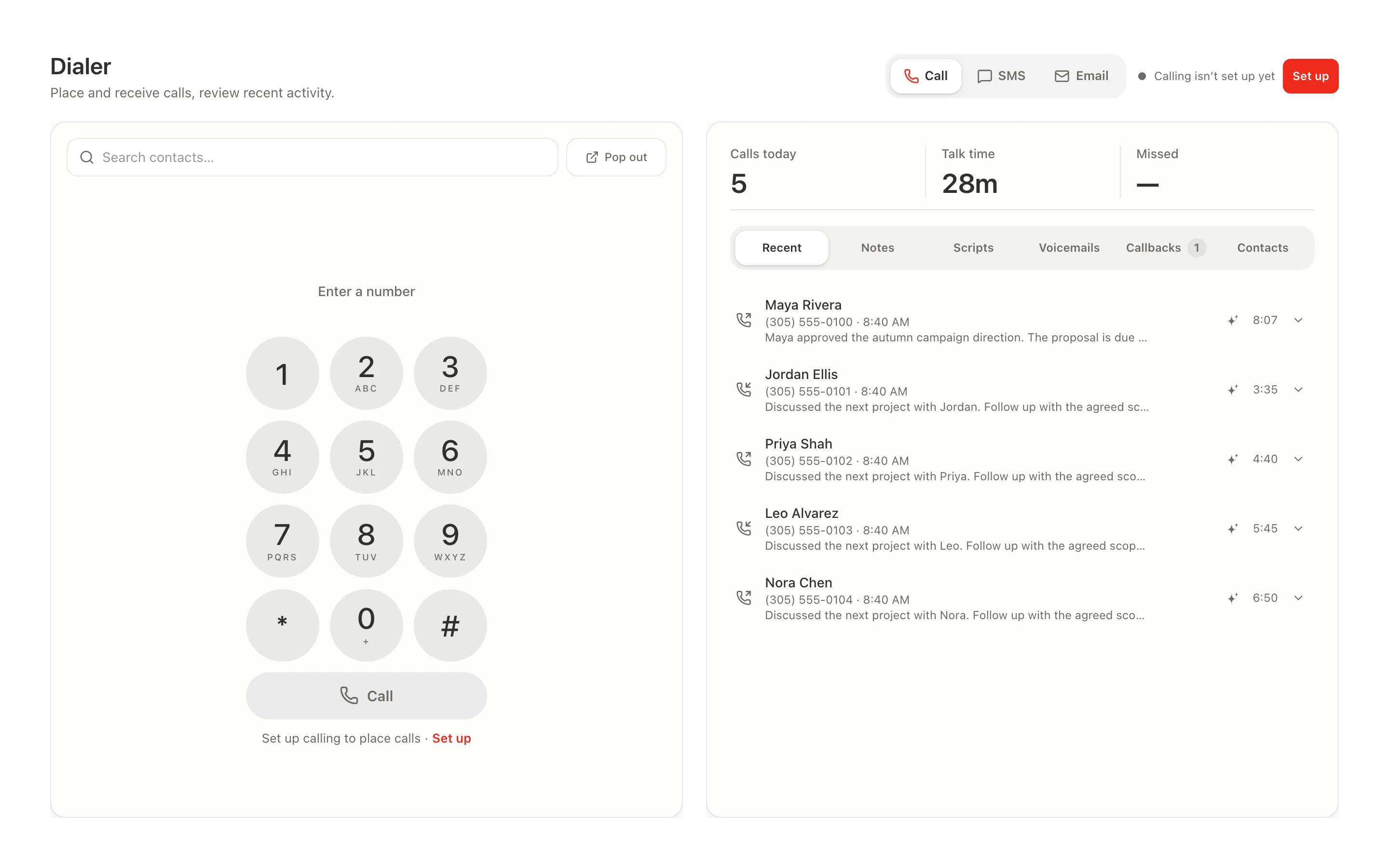
Actual product views with illustrative records. Recording and call intelligence require setup and usage credits.
AUTOMATIONS. WITH A CONVERSATION OF THEIR OWN.
Start with a conversation. Refine on the visual canvas. Let Sepia carry your saved rules forward with conditions, timed steps and a history you can inspect.
Describe a new automation or ask for changes to the flow you’re viewing. Review the proposed trigger, conditions and steps before applying them.
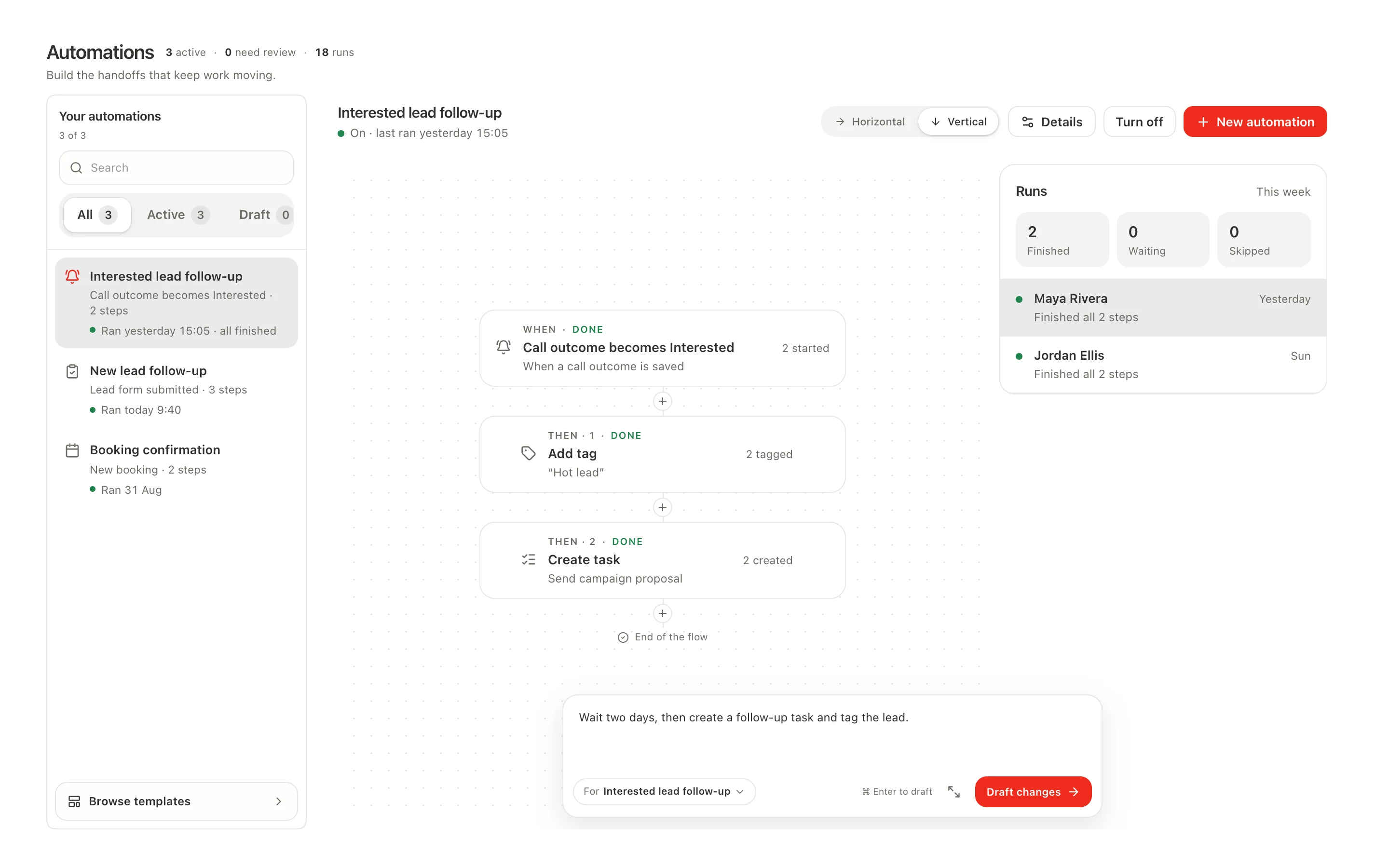
Rules with depth. Conditions, tags, stages, messages and tasks.
Timing you control. Add waits. Enable or pause the workflow.
Progress you can trace. See completed, waiting, skipped and failed runs.
THE WORKSPACE, IN PRACTICE
Go from a lead to a customer, manage bookings and keep the next action in view.

Work with leads, customers and contacts in the same place. Follow stages and next steps, then bring the customer’s communication, appointments, files and billing together.
Explore the workspaceCAPABILITY, CONNECTED
Conversation and direct control draw on the same workspace. Move between them as the work calls for it.
Contacts and companies, leads and stages, notes and recent activity. Give every person a record that keeps the next conversation informed.
Organize work into projects. Assign the team, set priorities and deadlines, and see the tasks that need attention without asking someone for a status update.
Work with calling, messaging and email around the client. Recorded-call summaries and reviewed next steps help keep the conversation from becoming another loose note.
Connect appointments, agreements, invoices and payments to the client. Start with the recommended pages, then shape your own sidebar. Plans scale capacity and usage; core CRM modules remain available.
YOU GET BOTH
One set of clients, projects and plans. Ask for the next move, get into the detail, then pick up the conversation. It all belongs to the same work.

BEFORE YOU BEGIN
No. They work together in one Sepia workspace. Ask about a client, project or plan in chat; open the workspace for direct control. Return to the conversation whenever it helps.
Yes. Teammates can use the workspace views, with access following their roles and permissions. Projects, tasks and client records stay connected to the same business context.
Create a workspace and bring in your contacts. Add the modules and communication connections you need. Calling, messaging and AI usage have their own usage charges; check the pricing for your workspace.
Sepia / WORK, CONNECTED
Start a conversation. Open the details.
Make the next move yours.